Publishing
From Prompt or Document to Publication: A Practical Guide to Publishing Studio AI
Learn how Publishing Studio AI helps teams turn prompts and existing documents into editable, designed, illustrated, print-ready, web-ready publications.
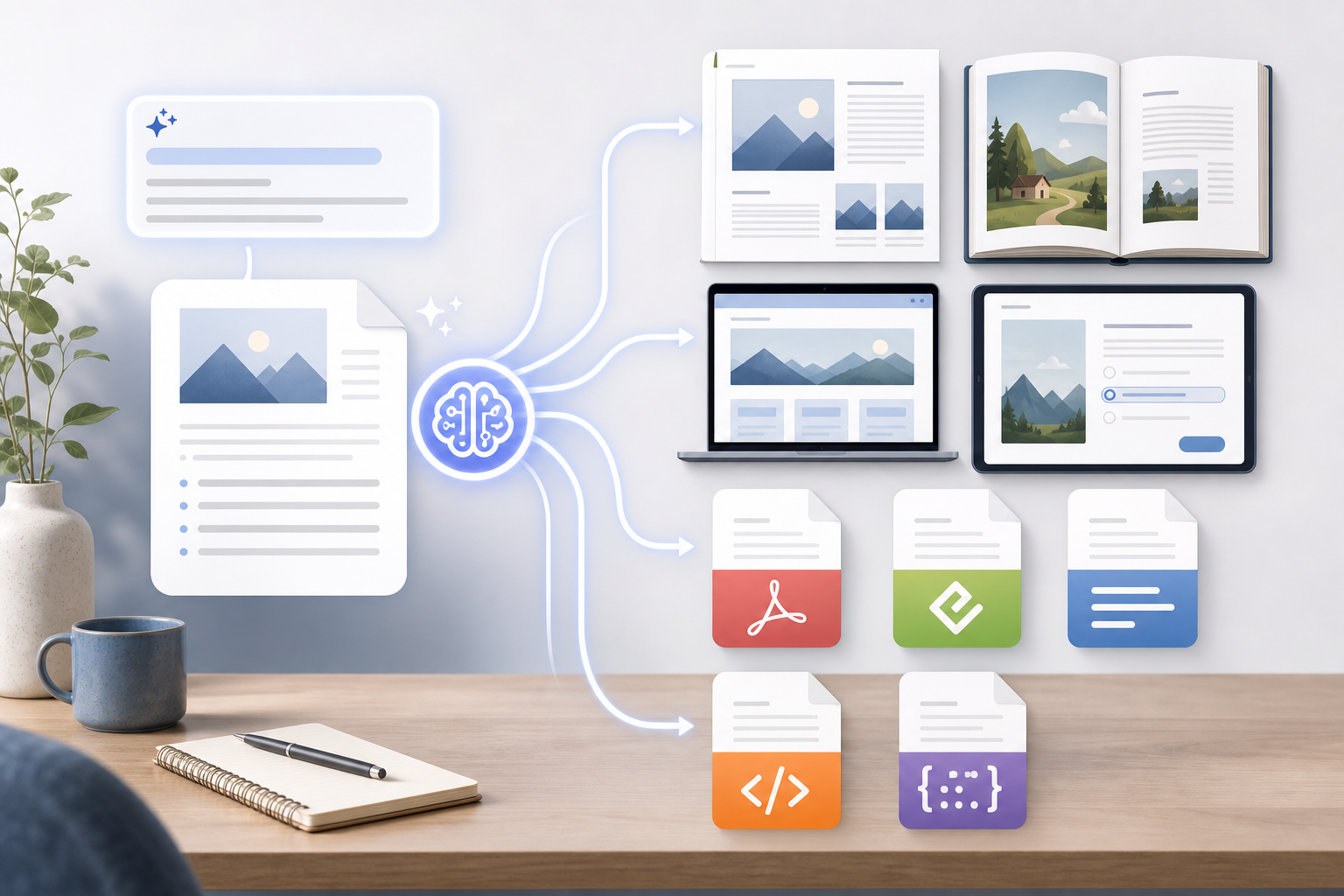
Publishing often begins in a messy place: a prompt, a draft, a slide deck, a transcript, a research outline, a training manual, a grant report, or a folder of notes. The challenge is not only writing the words. It is shaping those words into something people can read, use, print, share, assign, revisit, and learn from.
Publishing Studio AI is built for that full path. It helps authors, educators, consultants, nonprofits, researchers, students, and businesses turn ideas and existing documents into editable, designed, illustrated, print-ready, web-ready, and interactive publications. AI can assist throughout the process, but the user remains the reviewer, editor, publisher, and final decision-maker.
This article explains the practical workflow, including the roles of Flow, the Page Design Canvas, Clean Preview inside the canvas, and the final Preview. It also outlines hosted Interactive Readers, responsive HTML and newsletter hosting, and export options for PDF, EPUB, DOCX, scholarly DOCX, HTML, and JSON.
Start with a Prompt, a Draft, or an Existing Document
Publishing Studio AI supports different starting points because real publishing projects rarely begin in the same format. You may start with a prompt such as create a workbook for first-time managers, or you may bring in an existing document that needs structure, editing, design, and export.
Common starting materials include:
- Book outlines, chapter drafts, essays, and manuscripts
- Course notes, lesson plans, syllabi, and training guides
- Consulting frameworks, playbooks, proposals, and client reports
- Nonprofit impact reports, program guides, and fundraising materials
- Research summaries, literature reviews, white papers, and scholarly drafts
- Student papers, portfolios, study guides, and capstone projects
- Business manuals, onboarding documents, newsletters, and lead magnets
From there, the platform can help generate, rewrite, reorganize, edit, and format content. The goal is not to remove human judgment. The goal is to reduce repetitive production work so the user can focus on accuracy, voice, usefulness, and purpose.
What AI Can Help With, and What the User Controls
AI inside Publishing Studio AI can assist with many publishing tasks, including drafting, rewriting, editing, grammar, citations, image generation, page arrangement, and publication design. For example, an educator might ask for a clearer explanation of a complex concept, a consultant might request a more concise executive summary, and a nonprofit might refine a program description for a public audience.
AI can also help suggest layouts, improve section flow, create captions, generate illustration concepts, or adapt a long document into a shorter web version. These tools are especially useful when a publication needs multiple formats, such as a print-ready PDF, a responsive web page, and an interactive reader.
However, the user should always review the final work. Names, facts, citations, image choices, document structure, accessibility, permissions, and publication readiness require human oversight. Publishing Studio AI supports the workflow, while the user controls the final editorial and design decisions.
Think of the platform as a production partner: it can accelerate drafting, editing, formatting, and design, while you remain responsible for the finished publication.
The Role of Flow: Structure, Content, and Editorial Development
Flow is where a publication takes shape at the content and structure level. It is useful when you need to move from raw material to an organized publication plan. In Flow, you can work through sections, chapters, modules, lessons, pages, prompts, rewrites, and editorial improvements before focusing on final layout details.
For an author, Flow may be the place to transform a rough book concept into chapters and sections. For a teacher, it may become a course reader or workbook outline. For a consultant, it may turn a methodology into a client-ready playbook. For a researcher, it may help organize source-based sections, summaries, and notes into a more coherent document.
Flow is especially helpful for projects that need both thinking and production. You can refine the argument, sequence the content, strengthen introductions and transitions, and identify where illustrations, charts, activities, or callouts may be useful. Once the content has a clear direction, it can move toward visual design and publication output.
The Page Design Canvas: Editable Layout and Publication Design
The Page Design Canvas is where the publication becomes visual and editable. Instead of treating design as a final afterthought, the canvas lets you arrange pages, adjust layouts, place images, review typography, and shape how the publication will feel to readers.
This is valuable because a publication is more than words in order. A workbook may need generous writing space. A report may need clear hierarchy and visual emphasis. A children’s book may need page-by-page illustration placement. A scholarly document may need a formal structure. A training manual may need callouts, examples, and review questions that are easy to scan.
Inside the Page Design Canvas, AI can assist with publication design and page arrangement, but the layout remains editable. Users can review what the system proposes, adjust pages, replace or revise images, refine text, and make the publication fit the audience and purpose.
Clean Preview Inside the Canvas: Review Without Production Distractions
Clean Preview inside the canvas provides a focused way to review the publication while still working in the design environment. It helps you see the content and layout more clearly without unnecessary editing clutter.
This is useful during production because small issues are easier to catch when the page is presented cleanly. You may notice that a section heading needs to be shorter, an image needs a better caption, a paragraph should be split, or a callout is competing with the main text. Clean Preview supports that in-between stage: the publication is not yet final, but it is close enough to review like a reader.
For teams, this can also help separate design review from content review. One person may focus on accuracy and tone, while another checks page rhythm, readability, and visual consistency. Clean Preview makes those discussions easier because everyone can look at a clearer version of the work.
Final Preview: Confirm the Reader Experience Before Publishing
The final Preview is the last review stage before output, sharing, or hosting. It helps users evaluate the publication as the audience will experience it. This matters because the same project may need to work in print, on the web, in an EPUB reader, or as an interactive hosted experience.
Final Preview is where you should slow down and check essentials:
- Confirm that the title, author, sections, headings, and page order are correct.
- Review images, captions, tables, links, and interactive elements.
- Check that the publication format matches the intended audience and use case.
- Proofread important pages, including front matter, summaries, assessments, and calls to action.
- Verify export or hosting choices before distributing the work.
This final review step supports professional publishing discipline. Even when AI has helped draft and design, the publication should be checked by the person or organization responsible for it.
Hosted Interactive Readers for Teaching, Training, and Engagement
Publishing Studio AI can also support hosted Interactive Readers, which extend a publication beyond a static document. This is useful for educators, trainers, consultants, membership organizations, nonprofits, and businesses that need readers to participate, respond, complete activities, or receive proof of completion.
Interactive Reader capabilities can include:
- Customizable fields for reader input, reflections, forms, exercises, or structured responses
- Quizzes for comprehension checks, course activities, assessments, or review
- Saved responses so readers can return to their work or submit materials as needed
- Seat assignment for managing access to specific readers or groups
- Video for lessons, demonstrations, introductions, or supporting explanations
- Certificates for completion-based programs, workshops, or training experiences
This turns a publication into a guided learning or engagement environment. A workbook can become an assigned course companion. A professional development guide can include reflection fields and completion certificates. A nonprofit toolkit can include videos and forms. A business onboarding manual can include quizzes and seat-based access for new team members.
Responsive HTML and Newsletter Hosting
Not every publication should live only as a downloadable file. Publishing Studio AI also supports web-ready formats, including responsive HTML and newsletter hosting. Responsive HTML helps content adapt to different screen sizes, which is important for readers using phones, tablets, laptops, and desktop monitors.
For organizations, hosted web publications can reduce friction. Instead of asking readers to download a file, you can share a link to an accessible web version. For newsletters, serialized content, announcements, educational issues, or public updates, hosting can make distribution more direct and easier to revisit.
This is especially useful when the same content needs more than one life: a PDF report for formal distribution, an HTML version for web access, a newsletter version for subscribers, and a JSON export for structured reuse.
Export Formats for Print, Web, Editing, and Reuse
Publishing Studio AI supports a range of export formats so publications can move into the channels and workflows users actually need. These include:
- PDF for print-ready files, digital distribution, reports, workbooks, and designed documents
- EPUB for ebook distribution and reflowable reading experiences
- DOCX for editable word processing workflows and collaboration outside the platform
- Scholarly DOCX for academic or research-oriented document structures
- HTML for web-ready publication and hosted reading experiences
- JSON for structured content reuse, integrations, archiving, or advanced workflows
These export options help different users solve different publishing problems. An author may need EPUB and PDF. A professor may need DOCX and hosted interactive materials. A consultant may need a polished PDF and a web version for clients. A researcher may need scholarly DOCX for continued editing. A business may need HTML and JSON for reuse across systems.
Practical Workflows by Audience
Authors
Authors can use Publishing Studio AI to draft chapters, revise tone, create summaries, generate illustration concepts, design pages, and export books or companion materials. The workflow can support early ideation through final preview.
Educators and Students
Educators can create readers, lesson packets, workbooks, quizzes, and interactive assignments. Students can organize drafts, improve clarity, format projects, and prepare polished submissions while still reviewing their own work.
Consultants and Businesses
Consultants and businesses can turn frameworks, internal documents, training content, and client materials into branded publications, manuals, interactive learning tools, or hosted resources.
Nonprofits
Nonprofits can develop program guides, reports, volunteer training materials, toolkits, newsletters, and public education resources in formats that are easier to share and update.
Researchers
Researchers can organize complex material, prepare scholarly documents, create summaries for broader audiences, and export structured versions for continued use.
A Thoughtful Way to Publish More
Publishing Studio AI brings together writing assistance, editorial development, page design, interactive hosting, and multi-format export in one practical workflow. Flow helps shape the content. The Page Design Canvas helps turn that content into an editable designed publication. Clean Preview supports focused review inside the canvas. Final Preview helps confirm the reader experience before sharing, exporting, or hosting.
The result is a more complete path from idea or document to finished publication, without asking users to give up control of their message, design, or standards. AI can help accelerate the work, but people remain at the center of the publishing process.
If you are ready to turn prompts, drafts, or existing documents into publications people can read, use, print, assign, and interact with, consider exploring Publishing Studio AI and seeing how it can support your next project.